
DJI has rolled out new firmware updates for its Neo and Neo 2 camera drones, giving owners of both palm-sized flyers another reason to check their DJI Fly app.
There’s no major new feature to get excited about this time, though. According to the release notes, both updates simply fix known issues. Still, if you use either drone to capture travel videos, cycling adventures, or everyday moments, keeping its firmware up to date is worth the few minutes it takes.
DJI Neo gets firmware v01.00.0500
The original DJI Neo is receiving aircraft firmware version 01.00.0500. The accompanying update package also includes new firmware for several compatible controllers and goggles, alongside DJI Fly app version 1.21.16.
The release notes don’t specify which bugs have been fixed, so there’s no confirmed improvement to image quality, flight performance, or tracking to report.
That doesn’t make the $169 Neo any less interesting. Weighing approximately 135 grams, the drone is designed for people who want aerial footage without the learning curve associated with traditional camera drones.
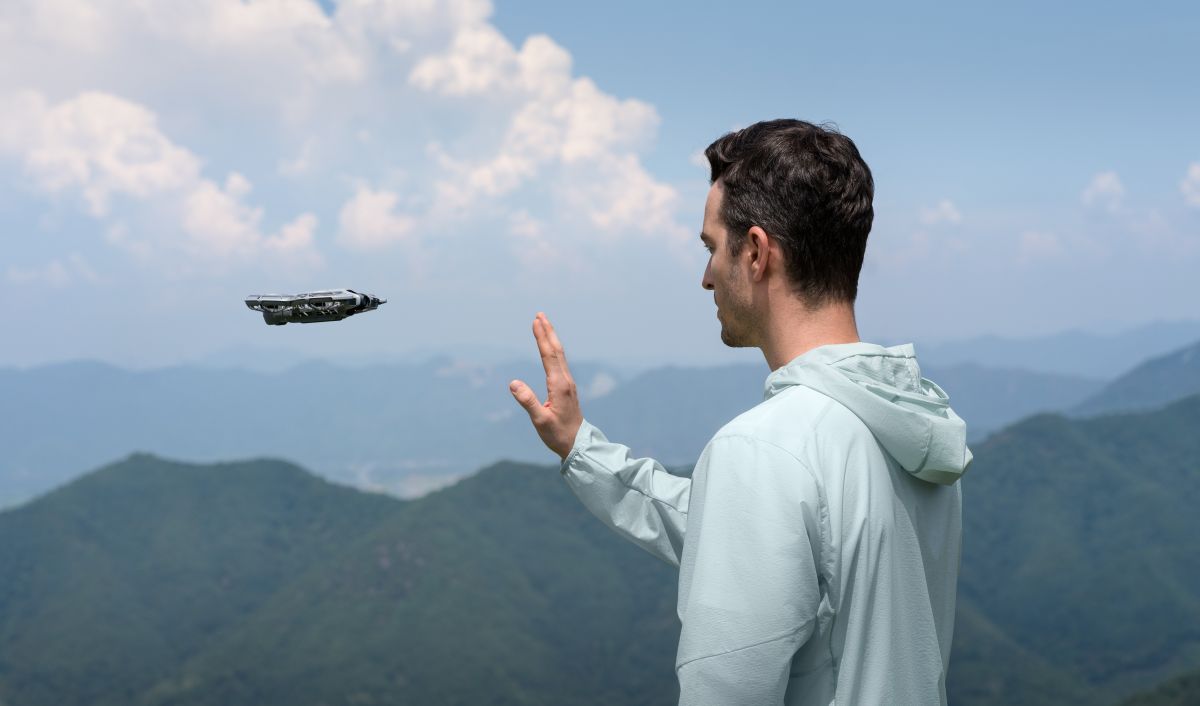
Its standout feature is palm takeoff and landing. Select a shooting mode, launch the drone from your hand, and let it capture footage automatically. Subject tracking and QuickShots modes make it easier to film yourself hiking, exploring a destination, or enjoying a day outdoors without asking someone else to operate the camera.
The Neo also records stabilized 4K video at up to 30fps. Full-coverage propeller guards add reassurance when flying in suitable spaces, while multiple control options let users move from simple hands-free filming to smartphone or dedicated-controller operation.
There is one important limitation: the original Neo doesn’t have obstacle avoidance. You’ll still need to choose your flying environment carefully and keep the drone within visual line of sight. Nevertheless, for beginners and creators looking for an affordable, compact way to add aerial perspectives to their videos, a $169 drone remains an appealing entry point.
DJI Neo 2 gets firmware v01.00.0800
The newer DJI Neo 2 is receiving aircraft firmware version 01.00.0800. Its update package also lists firmware for compatible remote controllers and goggles, with DJI Fly app version 1.21.16.
As with the original Neo, the official release notes simply say that known issues have been fixed. There’s no confirmation of new shooting modes or other headline features in this release.
However, the Neo 2 already has several advantages over its predecessor.
It records 4K video at up to 60fps and supports 4K slow-motion recording at up to 100fps. Its two-axis mechanical gimbal also provides a different stabilization approach from the original Neo’s single-axis gimbal and electronic stabilization system.
For creators who want more than basic aerial selfies, the Neo 2 adds gesture control, SelfieShot for hands-free group and individual shots, and improved ActiveTrack subject tracking. Omnidirectional obstacle sensing is another major upgrade, helping the drone detect obstacles while following subjects in supported conditions.
It also packs 49GB of internal storage, reducing the need to manage removable memory cards before heading out to film. At approximately 151 grams, it remains light enough to slip into a travel bag.
The Neo 2 is the more capable choice for people who plan to use tracking, slow motion, and automated filming regularly. The original Neo, meanwhile, makes sense for buyers who prioritize simplicity and a lower entry price.
DJI’s US listings put the Neo 2 drone-only model in the $259 price bracket, with bundle options available for those who want extra batteries or immersive FPV equipment.
One thing to check after updating
DJI advises users to restart the aircraft, remote controller, and goggles after installing the firmware. It also warns that updates may reset flight settings, including Return-to-Home altitude and maximum flight distance.
Take note of your preferred settings before updating and check them again before your next flight. If an installation fails, DJI recommends restarting the aircraft, controller, goggles, and DJI Fly app, or using DJI Assistant 2 (Consumer Drone Series), before trying again.
Neither update transforms these drones overnight, but both are worth installing if you already own one. And if you’re shopping for your first camera drone, the Neo family remains an accessible way to start capturing footage that a phone simply can’t replicate.
More: DJI updates Mini 5 Pro, Air 3S, and Mavic 4 Pro with new firmware


FTC: We use income earning auto affiliate links. More.


Comments