
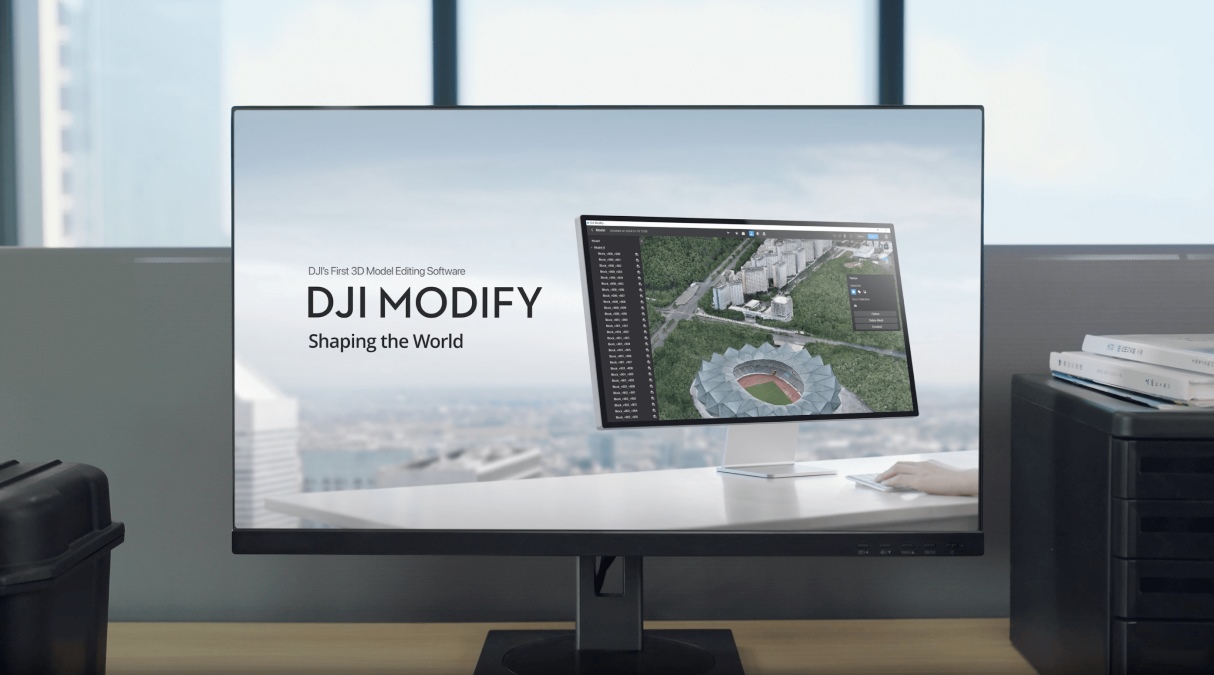
DJI Modify is more than a tool for cleaning up drone-generated 3D models. It is designed to help mapping professionals turn raw reconstruction outputs into polished, usable deliverables, whether that means repairing a building model, improving surface textures, or preparing 3D data for downstream workflows.
With version 1.7.0, DJI is adding more ways to work directly with 3D mesh models, alongside improvements to point cloud visualization and terrain inspection. The update focuses on three main additions: placing model components from a library, customizing textures using source photographs, and viewing digital elevation model (DEM) terrain results in 3D.
For professionals who rely on drone mapping for surveying, construction, inspection, or digital twins, these changes could make the cleanup process more flexible and help catch problems before a project is delivered.
Model placement brings library components into the workflow
One of the more interesting additions in version 1.7.0 is the new model placement feature. Users can now select components from a model library and place them onto existing 3D mesh models, either individually or in batches. DJI also confirms that these placed components can be post-processed and exported.
Why does that matter? Reconstructed 3D models are not always complete representations of a site. A building, for example, might be captured well from the outside but lack certain details or components in the final reconstruction. Being able to place library models directly into the mesh gives users another way to refine the scene without having to start over with data collection.
The batch placement option could be particularly useful when working with multiple similar components across a larger model. Rather than treating every addition as a separate task, users can place several components in one workflow.
DJI’s release notes do not specify which components are included in the library or how extensive its customization options are, so the practical scope of this feature will depend on the available assets and placement controls.
Custom textures could rescue problematic surfaces
The second major addition addresses another familiar challenge in photogrammetry: textures that are missing, distorted, or mapped incorrectly.
A 3D mesh is more than its geometry. Its surface appearance helps make a reconstructed building, road, or other structure look like the real thing. When texture mapping goes wrong, even a geometrically sound model can look noticeably incomplete.
With the new custom texture feature, users can select an area directly on a 3D mesh model, after which DJI Modify automatically matches the corresponding undistorted photographs for texture mapping. Users can also import photos to serve as texture sources, helping repair areas where textures are missing or incorrectly mapped.
terra.dji.com
This is a practical addition for surveying and mapping teams that need models to be both geometrically useful and visually convincing. For instance, if a building facade looks patchy because its texture was reconstructed incorrectly, the ability to select the affected surface and draw on source photographs could help restore its appearance.
It is worth noting that this feature repairs surface textures; it does not, by itself, correct inaccurate underlying geometry.
DEM terrain results get a 3D view
DJI Modify 1.7.0 also adds support for displaying digital elevation model (DEM) terrain results in 3D within point cloud projects. This makes it easier to inspect topographic relief and check the quality of the output.
DEM data represents ground elevation, making it useful for understanding slopes, terrain variations, and the shape of a site. Being able to inspect the result in three dimensions gives users another way to spot potential issues that may not be immediately apparent from a flat representation.
For professionals working on land surveys, construction planning, or terrain mapping, that extra visual context could make quality checks more straightforward.
Smaller changes that improve everyday workflows
The update includes three additional refinements:
- Simpler mesh imports: DJI Modify now allows 3D mesh models to be imported using only PLY or OBJ files, streamlining the supported import workflow.
- More point cloud return information: The software now supports return information in LAS 1.4 point clouds, displaying up to 15 returns. This gives users more return data to inspect when working with supported point cloud files.
- Orthographic viewing: Users can now switch to an orthographic view for 3D mesh models. Unlike perspective projection, orthographic projection removes the visual effect of objects appearing smaller with distance, which can help when inspecting structures and comparing dimensions visually.
So, who should pay attention to DJI Modify 1.7.0? Well, the software is designed to work alongside DJI Terra and compatible DJI Enterprise drone mapping workflows. Its existing capabilities include point cloud classification, noise reduction, smoothing, downsampling, and tools for repairing common mesh defects such as holes and unwanted floating objects. Edited models can then be exported in supported formats for downstream use.
The new version builds on that foundation rather than reinventing the software. Model placement offers more flexibility when refining reconstructed scenes, custom texturing gives users another way to fix visual imperfections, and 3D DEM viewing strengthens terrain quality checks.
There is one important limitation for prospective users: DJI’s support documentation says Modify currently edits visible-light 3D models reconstructed using DJI Terra 4.0.0 or later, rather than arbitrary models created in third-party software. It is also Windows-only and requires a compatible NVIDIA graphics card, with a network connection needed for its network license.
For mapping professionals already using DJI’s ecosystem, this is a meaningful workflow update: fewer limitations when polishing mesh models, more options for correcting textures, and another way to verify terrain outputs before handing over a finished project.
More: Autel EVO Lite 640T and 6K drones get a new update


FTC: We use income earning auto affiliate links. More.




Comments