
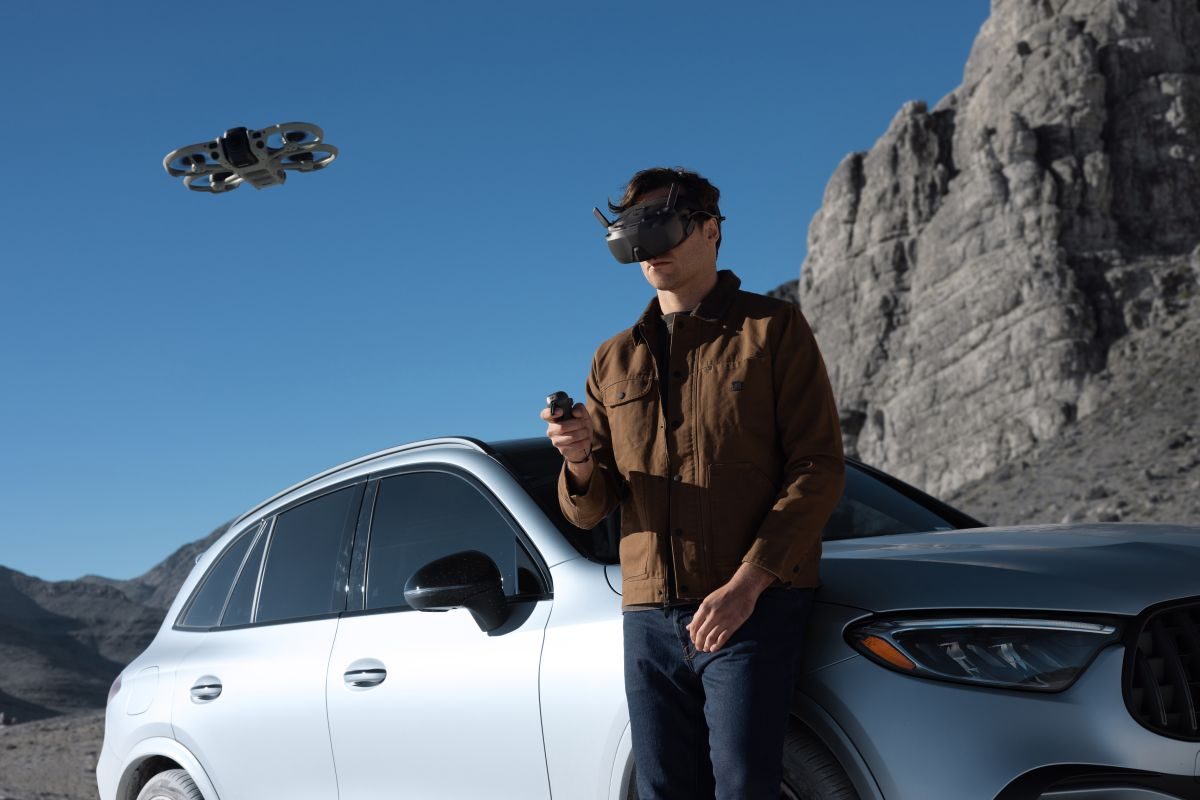
A drone that captures everything around it just got better at deciding where to fly next. DJI’s Avata 360 has picked up waypoint flight, zoom controls for subject tracking, and support for the RC Pro 2 controller in a new firmware update, giving aerial filmmakers more ways to get the shot without relying entirely on manual flying.
The Avata 360 combines an immersive FPV-style flying experience with the ability to capture an entire 360-degree scene, and then decide how you want the footage to look afterward. The new features build on that idea, making it easier to plan shots, follow subjects, and manage the view while flying.
The update, which also brings new firmware for compatible controllers, goggles, the DJI Fly app, and DJI Studio, is particularly interesting for creators who want more control over how their aerial footage looks without making every adjustment manually. Here’s what’s changing and why it matters…
Waypoint Flight could be the biggest addition
Waypoint Flight is arguably the most useful feature in this release, especially for anyone using the Avata 360 to capture cinematic travel videos, outdoor adventures, or repeatable action shots.
The feature lets pilots plan a flight route using points on a map. They can design a sequence of movements in advance and associate the route with a Point of Interest, allowing the aircraft to execute a planned camera move rather than relying entirely on manual stick inputs. The flight interface also provides mission information such as distance and estimated duration.
Imagine filming a mountain cabin, for instance. Instead of manually trying to repeat the same approach on several takes, you can plan a route that brings the drone toward the cabin and moves around the scene. The same idea could be useful for capturing a vehicle driving along a scenic road or creating a consistent establishing shot for a video.
The Avata 360’s ability to record an entire 360-degree scene makes this especially appealing. The drone supports 8K/60fps HDR 360-degree video, allowing creators to choose their preferred viewing angle and reframe footage during editing. A carefully repeated flight path combined with flexible reframing could make it easier to produce several different-looking shots from a planned flight.
FocusTrack gets zoom controls
The second notable addition is zoom support for FocusTrack, DJI’s intelligent subject-tracking feature. The Avata 360 already offers tracking tools that help pilots keep a subject prominent in the shot. With zoom added to FocusTrack, users gain more flexibility over the viewing angle while tracking, rather than having to settle for the same framing throughout a sequence.
That opens up some useful creative possibilities. You could keep a cyclist or runner in view while adjusting the composition to emphasize the subject or reveal more of the surrounding landscape. For travel filmmakers, it could also help make a tracking sequence feel more deliberate.
The distinction is worth noting: adding zoom to FocusTrack doesn’t mean the drone has acquired a new camera sensor or that every tracking mode now behaves identically. It’s an enhancement to the existing tracking workflow, giving pilots another way to control their shots.
And because the Avata 360 captures 360-degree footage, creators have another layer of flexibility in post-production. They can choose the viewing direction after recording, making the combination of tracking, zoom, and reframing particularly attractive for social videos.
DJI RC Pro 2 support expands controller options
The firmware also adds support for the DJI RC Pro 2, with controller firmware version 01.00.0900 listed in the release notes. For owners who already use this controller with compatible DJI aircraft, the addition means they can now use it with the Avata 360 as well, rather than necessarily carrying a separate controller for this drone. Both the aircraft and RC Pro 2 need the corresponding firmware updates for the new compatibility.
This is a practical improvement rather than a new flight mode, but it matters to people who already have a DJI setup. A more flexible controller arrangement can make packing for a trip or a filming session less cumbersome.
It’s also important not to confuse controller compatibility with universal compatibility across DJI’s ecosystem. The Avata 360 supports several different control arrangements, but goggles, motion controllers, and standard remote controllers have specific pairing requirements. DJI’s compatibility guidance lists the RC 2, RC-N2, and RC-N3 as standard remote options, while the Goggles 3 and Goggles N3 work with the RC Motion 3 or FPV Remote Controller 3. The newly added RC Pro 2 support expands that lineup.
Vision Assist becomes a little smarter
The final feature addition concerns Vision Assist, which provides an auxiliary view to help pilots see their surroundings while flying.
With the new firmware, the display can automatically switch orientation to match the aircraft’s direction of travel. Instead of manually changing the auxiliary view when moving forward, backward, sideways, or vertically, pilots can let the display adjust automatically.
It’s a relatively small change, but one that could make a difference during dynamic flights. When concentrating on framing a subject, the fewer interface adjustments you need to make, the easier it is to stay focused on the shot.
The update also includes unspecified bug fixes, so DJI hasn’t provided a detailed list of every issue addressed.
Firmware versions and installation notes
| Component | Firmware version |
|---|---|
| DJI Avata 360 | v01.00.0800 |
| DJI RC 2 | v10.00.0900 |
| DJI RC Pro 2 | v01.00.0900 |
| DJI Goggles N3 | v01.00.1300 |
| DJI Goggles 3 | v01.00.1600 |
| DJI RC Motion 3 | v01.00.0200 |
| DJI FPV Remote Controller 3 | v01.00.0300 |
| DJI RC-N2 | v01.00.0300 |
| DJI RC-N3 | v01.00.0300 |
| DJI Fly app | v1.21.16 |
| DJI Studio | v1.2.11 |
After installing the update, DJI recommends restarting the aircraft, remote controller, and goggles. The drone maker also warns that settings such as Return-to-Home altitude and maximum flight distance may reset, so check and restore your preferred values before flying. If an update fails, restart the aircraft, controller, goggles, and DJI Fly app or DJI Assistant 2, then try again.
All in all, if a drone that can capture an entire scene and let you decide how to frame it later sounds appealing, the Avata 360 deserves a place on your holiday shopping shortlist. With the latest firmware, it’s becoming a more capable creative tool without requiring buyers to wait for a new hardware generation.
More: DJI Neo and Neo 2 drones get new firmware, but what’s changed?

FTC: We use income earning auto affiliate links. More.

Comments