
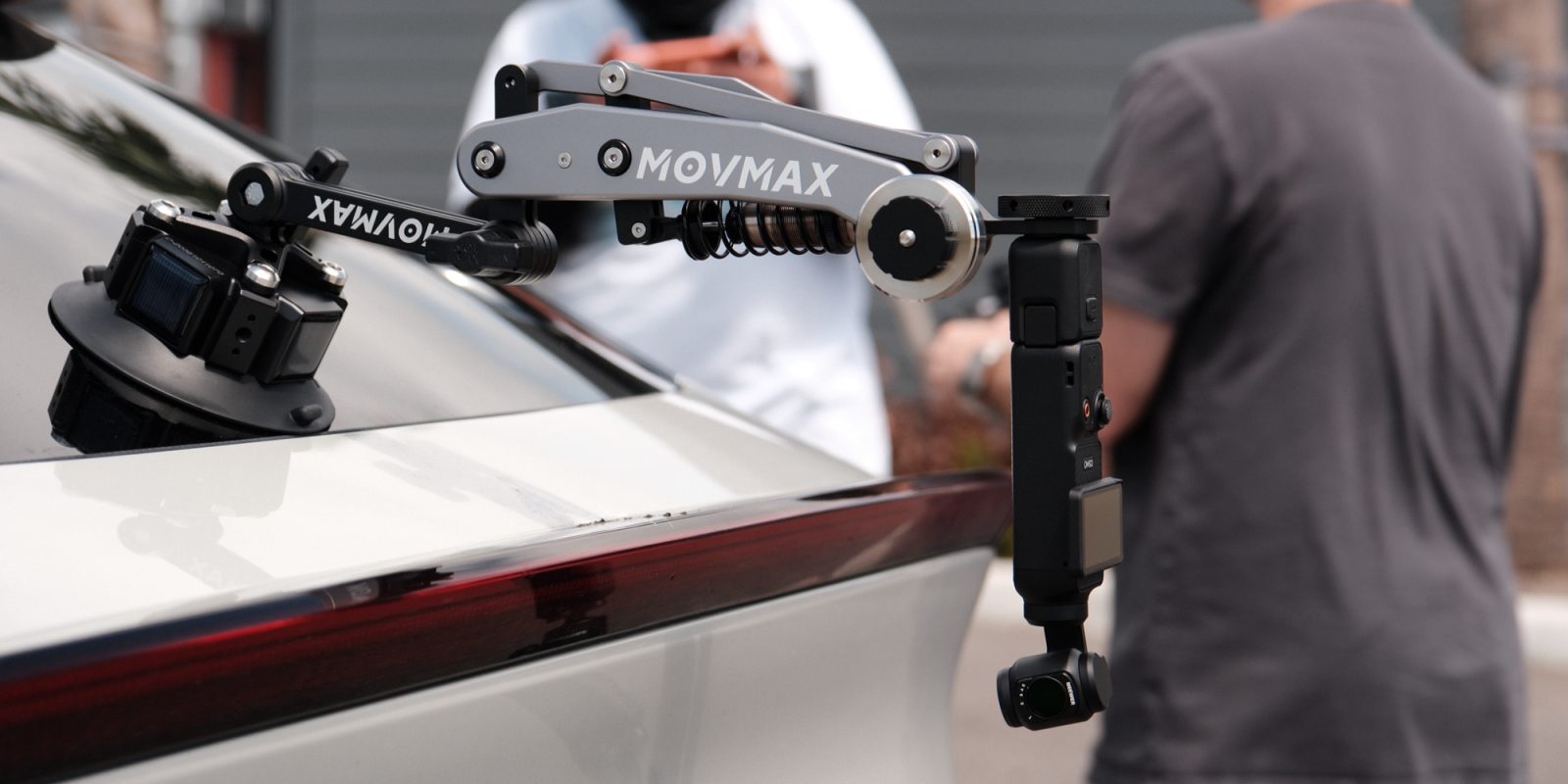
Movmax is known for its car rigging gear. Traditionally for heavy-duty cinema cameras, you’d see them clamped to the hoods and quarter panels on commercial shoots. While most of its products are aimed at that world, it has recently released smaller tools built for the creators of Instagram and YouTube. Today we’re looking at two of those products: the Blade Arm and Pocket Controller for DJI’s Osmo Pocket 3.
Movmax provided the Blade Arm and Pocket Controller for review. They had no editorial input and did not see this article or video before publication.
What the Blade Arm actually is
The Blade Arm‘s job is simple: kill the vibration that travels up from a moving vehicle into your mounted camera. It does that with a spring-loaded dampening arm that sits between the suction cup and your camera, plus a pair of counterweights. For mounting, the Blade features the standard quarter-twenty mount that allows you to mount basically anything within its 150-gram to 500-gram weight limit.
The arm is designed to be paired with the DJI Osmo Pocket 3, combining the Blade’s mechanical dampening and the Pocket’s three-axis gimbal. However, the arm can also support Insta360’s and GoPro’s suites of cameras.
The Electronic Suction Cup Is the Real Story
If you’ve used a traditional suction cup mount, you know the routine. You pump the lever until the red indicator line disappears, and then you spend the rest of the shoot occasionally pulling over to check that it hasn’t crept back out. They work, but the trust isn’t entirely there, causing your mind to focus on it while it could be focusing on the shoot.
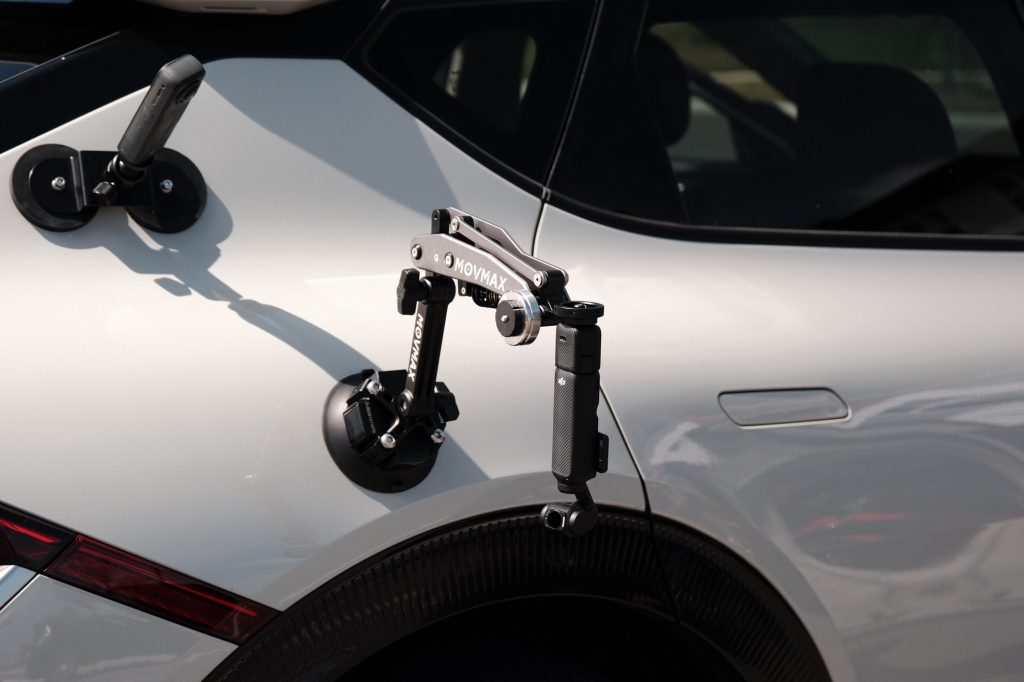
Insert Movmax’s electronic suction cup, which solves the problem by automatically monitoring and topping off the suction so you don’t have to. The battery is rated to support up to 500 full suctions on a single charge, powered with three solar panels; as long as you have sun, you’ll be good all day.
This is the piece I’d recommend without hesitation. It takes a category of gear that has always come with a low hum of anxiety attached and just… handles it. I trusted it in the car, and I’d trust it again.
The Pocket Controller: Good idea, rough edges
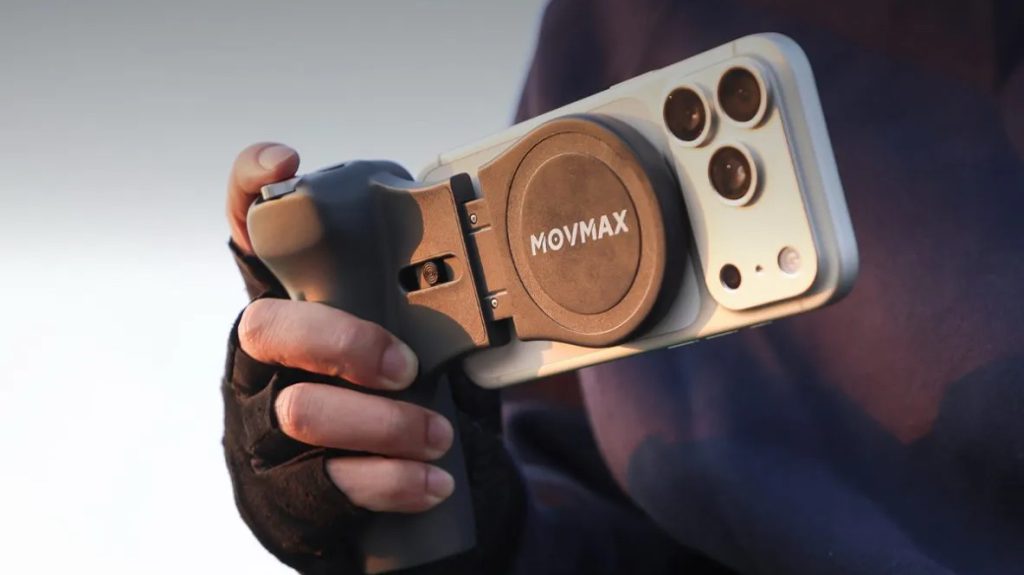
Purpose-built for the Osmo Pocket 3, the Pocket Controller connects to your smartphone over Bluetooth and moves the bulk of what were onscreen controls to physical controls on the controller. Featuring a joystick, record button, recenter and flip buttons, zoom rocket, and toggles for landscape and portrait, it allows little interaction with the DJI Mimo app.
A few design choices I genuinely liked
The controller uses two AAA batteries instead of a built-in lithium cell. That keeps the weight down and means you can swap fresh batteries in anywhere — gas stations, grocery stores, or wherever. One less thing to charge the night before a shoot.
A MagSafe puck holds your iPhone to the controller, and for non-MagSafe phones (or cases without it), Movmax includes a magnetic ring you can stick to the back of your case. The controller also slides out to three sizes to fit phones up to a Pro Max. I personally used my iPhone 17 Pro Max without any issues.
Where it gets rocky: latency
When you’re making fine adjustments through the joystick, there’s a lag between your input and the gimbal’s response that shows up especially when you’re trying to track something moving – like, say, a motorcycle passing next to the car. I couldn’t tell you whether the delay exists in the controller-to-app Bluetooth handshake, in the app itself, or in the Wi-Fi link from the app to the Pocket. My guess is it’s cumulative. What I can tell you is that it makes precise moves harder than they should be.
It’s still better than touching glass. Anyone who’s tried to control a gimbal through on-screen buttons knows how bad that experience is – no haptic feedback, no muscle memory, just hoping your thumb is in the right place. The Pocket Controller is a step up from that, no question. It just doesn’t feel as agile as it looks.
One more small thing, and this might just be me: I kept wanting to hold it two-handed like a game controller. There’s no second grip, so your off hand has nowhere natural to go. A phone case with a built-in grip might solve this. Worth a try if you pick one up.
Out in the field
Mounting the Blade Arm is easy enough, attaching the suction cup to the quarter panel of my car and turning it on. Finding the right spot on the car is the challenging part; you need something that is flat enough to form a good seal. You’ll want the arm roughly 90 degrees to the surface, and with the two points of articulation, you have enough range to make that work on most car panels.
After locking down the Blade Arm, you can mount your camera, in this case, the Pocket 3, either right side up or upside down, depending on your artistic choice.
While out on the road, the mechanical dampening provided by the three-axis gimbal did the job. The footage came back clean, and with the Pocket 3’s fantastic camera, it looked great! The suction cup never flinched, and the re-suctioning kicked in a few times throughout the day.
The bike chasing is where the controller’s limits showed. The shots where I needed small, quick adjustments were the ones where latency came to bite. For broader tracking moves, it held together well.
Pricing
Prices for both products on the Movmax site are:
- Blade Arm with electronic suction cup: $179
- Blade Air with standard suction cup: $119
- Pocket Controller: $99
Prices move around, so check both Movmax’s online store and Amazon before you buy.
The Bottom Line
The Blade Arm and electronic suction cup are an easy recommendation. The dampening works, and the self-suctioning system is a genuine quality-of-life upgrade. Plus, the quarter-twenty mount makes for a useful option for use with pretty much any small camera.
The Pock Controller, on the other hand, is more of a qualified yes. If you’re shooting handheld content, like YouTube videos or anything that doesn’t require absolute precision, it’s a real upgrade over the phone screen. But if you need tight, responsive inputs for fast-moving subjects, the latency may ruin your day. However, the nice thing is you don’t need the Blade Arm to use it, meaning it’s useful anywhere you go with the Pocket 3, whether on a tripod or in another person’s hands.
Taken together, it’s a fun pair of tools. The suction cup alone is going to get me shooting more car content than I normally would, just because the friction of setup drops to almost nothing. That’s usually a good sign for a piece of gear.


FTC: We use income earning auto affiliate links. More.

Comments